


MyPerfectResume Builder
4.01.67K Reviews
App Specs
- Version
- 2.0.8
- Updated On
- License
- Free
- Downloads
- 100,000+
- Developer
- BoldGoogleApps
- Categories
- Business
- Platform
- Android
Screenshots
 Analysis by AppCompare
Have you ever found yourself staring at a blank screen, wondering how to craft the perfect resume? You’re not alone! Crafting a resume that stands out can be quite the task. That’s where MyPerfectResume Builder steps in to save the day. So, let’s dive into what makes this app a game-changer for job seekers everywhere.
Why a blank page slows down a job search
The hardest part of applying for a job is often not writing a sentence; it is deciding what deserves space on the page. When your work history is scattered across old files, dates are hard to remember, and every application seems to call for a slightly different emphasis, a resume can become a project you keep postponing. I find a guided builder most useful at precisely that point: it gives me a place to begin and turns a vague task into a sequence of smaller decisions.
That is the practical promise I would judge this app by: whether it helps you get to a usable draft with less friction, not whether it can guarantee an interview. Resume software cannot make experience more relevant than it is, and polished formatting cannot replace careful editing. The benefit is having a working structure you can improve instead of losing time to a blank document.
Getting Started with MyPerfectResume Builder
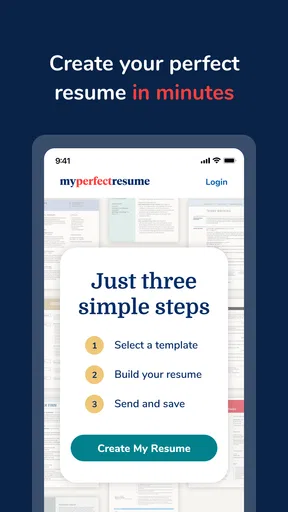
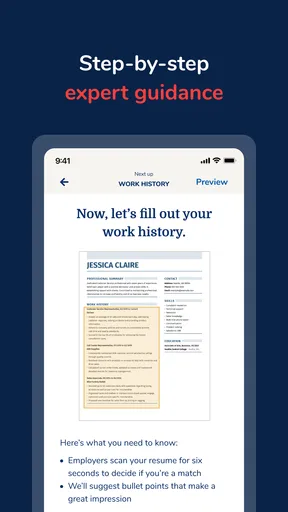
The first thing I noticed when I downloaded MyPerfectResume Builder was how intuitive the interface is. You don’t have to be a tech whiz to navigate it. The app guides you through the process, step by step, ensuring you don’t miss anything crucial. It’s almost like having a personal career coach in your pocket!
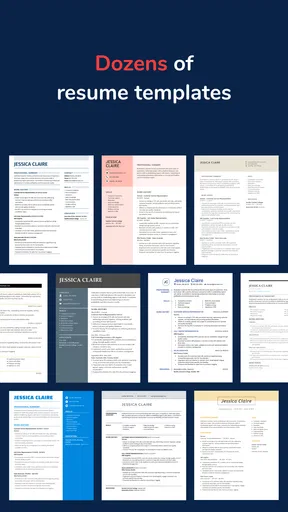
From the get-go, the app offers a plethora of templates to choose from. Whether you’re gunning for a creative job or a more traditional corporate role, there’s a design that fits. And let me tell you, these templates aren’t your run-of-the-mill boring layouts. They’re sleek, modern, and professional—just what you need to grab an employer’s attention.
Features that Shine
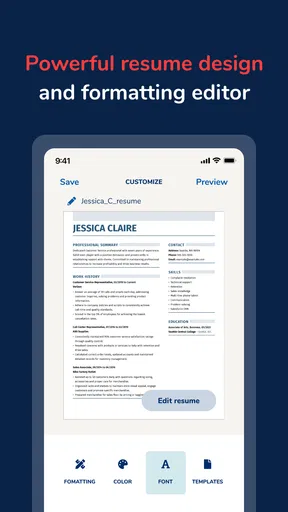
Now, let’s talk features. What truly sets this app apart is its customization options. You can tweak every little detail to match your personal style and the job you’re applying for. The app offers a rich text editor that allows you to adjust fonts, sizes, and colors. It’s like having a mini graphic design tool built right into your resume builder!
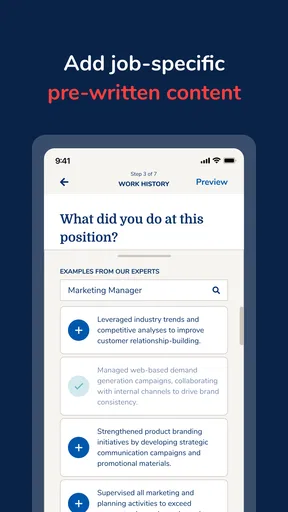
One of my favorite features is the job-specific suggestions. The app analyzes the job description and gives you tailored tips on what to include in your resume. It’s like having insider info on what employers are really looking for. And who doesn’t love a little insider info, right?
Worth Reading Before You Choose

Flipboard Shows What News Apps Must Do Beyond the Feed

Switching to Android Auto Means Rethinking Your Driving Routine

Google Calendar Makes a Crowded Week Easier to Manage

Ludo King Makes the Most of the Minutes Between Plans

Baby Panda World Brings Quick Play to Modern Phones, but Its Game Library Feels Busy

ESPN’s Live Game View Makes Following Close Games Easier
Make the first draft work harder
For an efficient first session, I would gather the basics before opening the editor: employment dates, role titles, education, and a few concrete examples of work. That small bit of preparation makes the guided prompts more useful and reduces the temptation to fill gaps with vague claims. If you are unsure of an exact date, check your records rather than guessing; a resume is easier to revise than to explain an avoidable inconsistency later.
I would also treat a template as a starting point, not a design brief. Choose a layout that makes the information easy to scan, then keep decoration restrained. A highly customized page can feel personal, but unusual colors or dense formatting may distract from the experience you want a recruiter to notice. The practical trade-off is simple: use the editor to clarify your story, not to make every line visually different.
Crafting the Perfect Resume
Let’s get into the nitty-gritty of crafting your resume. The app offers a comprehensive guide on what sections to include and how to fill them out. From your professional summary to your work history and skills, MyPerfectResume Builder ensures you don’t leave any stone unturned.
One thing that really impressed me was the app’s ability to handle gaps in employment. It offers advice and templates specifically designed to address these gaps, turning what could be a negative into a positive.
Use suggestions without surrendering your voice
Job-specific prompts are best used as a checklist for relevance, not as instructions to claim every skill mentioned in a posting. When a suggestion matches something you have actually done, make the connection clear with a concrete example. If it does not, leave it out. This keeps the document credible and prevents a tailored resume from sounding like a copied version of the employer’s requirements.
A useful workflow is to keep one broad, accurate version of your work history and make a separate targeted draft for each serious application. Adjust the summary and the order or emphasis of relevant experience, while checking that titles, dates, and achievements remain consistent. This takes more care than sending the same file everywhere, but it is a better use of customization than repeatedly rebuilding the whole document.
Everyday use: from a saved draft to an application
Imagine you spot a suitable opening during a lunch break and have only a short window before your next task. If your career details are already gathered, you can use the guided sections to review the experience most relevant to that role, then make a focused edit rather than starting over. Before sending anything, I would read the finished resume from top to bottom and check that the first few lines quickly explain what kind of work I can do.
This is also where the app is likely to help someone returning to a job search after a long pause. Instead of trying to remember every responsibility at once, build the history in stages: add the roles you can verify, come back to refine descriptions, and then tailor the most relevant points to an opening. The goal is not to produce a perfect document in one sitting; it is to make steady progress without letting the task become intimidating again.
Crafting for different career situations
The guided structure can be especially useful if you are early in your career and unsure how to organize education, projects, and limited work experience. It can also help someone changing fields think about transferable skills: a customer-facing role, for example, may show communication and problem-solving even when the target job has a different title. The important step is to describe what you actually did, rather than relying on a broad label that could mean anything.
For a more experienced applicant, the challenge is often the opposite: deciding what to remove. A builder can organize a long history, but it cannot make every old responsibility equally important. I would prioritize recent, relevant accomplishments and trim details that crowd the page without strengthening the case for the role. That judgment remains yours, even when the prompts make it easier to see where sections belong.
Exporting and Sharing Your Masterpiece
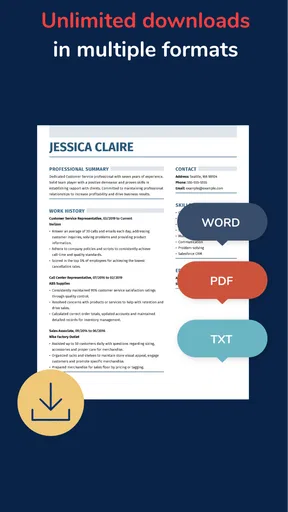
Once you’ve crafted your perfect resume, the app makes it super easy to export and share it. You can download your resume in multiple formats, from PDF to Word, ensuring it’s ready for any application process. Plus, you can share it directly from the app via email or save it to your cloud storage. Convenience at its finest!
And here’s a little tip from me to you: make use of the app’s sharing functionality. It’s a breeze to use, and you can even send your resume to friends or mentors for a quick review before hitting the job market.
Check the document after export
Before submitting a file, open the exported version and inspect it on the device or screen where you plan to use it. Look for awkward line breaks, crowded sections, inconsistent spacing, and any text that may have shifted. A resume that looks tidy in an editor is not automatically easy to read after export, so this quick check is worth the extra minute.
When choosing between formats, think about the application instructions first. If an employer requests a particular file type, follow that request rather than choosing the format you personally prefer. If there is no instruction, pick the version that preserves a clean, readable layout and keep a copy you can edit later. Sharing a draft with a trusted person can catch unclear wording, but ask them to focus on specific questions—such as whether your strongest experience is obvious—instead of inviting broad edits that may pull the resume in different directions.
What it costs and what to check before committing
The app is free to install, and it is developed by BoldGoogleApps. Its business focus is clear: it is built around preparing job application documents rather than serving as a general notes or office suite. In-app purchases range from $23.95 to $71.40 per item, so I would review the available purchase details in the app before relying on a paid option. If your goal is simply to test the workflow or make a basic draft, first see what you can complete without buying anything; do not assume that every feature or export choice is included at no cost.
That distinction matters because a mobile resume builder is not automatically the cheapest or best fit for every applicant. A word processor gives you more open-ended control and may suit someone who already has a strong template and knows how to format it. A guided builder is more appealing if structure and prompts save you time, but less appealing if you want full control without purchase prompts or prefer to work on a large screen. I would compare the final document and the cost of the features you actually need, not just the convenience of getting started on a phone.
Who will get the most from it
I can see this being a good fit for first-time applicants, people returning to work, and busy job seekers who want a guided route from scattered notes to a presentable draft. The combination of templates, section guidance, customization, and job-focused suggestions gives those users practical help at several stages. It is also useful when you want to revise an existing resume for a specific opening rather than make a fresh document from scratch.
I would be more cautious if you need a highly specialized academic CV, a portfolio-heavy creative presentation, or strict control over complex formatting. Those cases may call for a dedicated document editor or a format designed for that profession. Likewise, if your resume is already clear and you only need a tiny correction, opening a builder and revisiting its workflow may take longer than editing the file you already use. The right choice depends on whether the structure saves you more time than it asks you to spend.
How I would judge its reliability
A resume is personal information, so I would make a deliberate choice about what to include and avoid adding sensitive details that are not relevant to the job. I would also keep a separate copy of the final document somewhere I can find it, rather than treating the app as the only place my work exists. These habits are useful with any resume tool and make it easier to reuse your material if you later switch to a different editor.
For reliability, the real test is not how polished the template looks but whether the final file stays readable, accurate, and easy to revise. Keep your master version conservative, save a targeted copy for each application, and check the exported document before sending it. That approach reduces the risk of accidentally submitting an outdated draft or a version that highlights the wrong experience.
Final Thoughts
In a nutshell, MyPerfectResume Builder is a must-have for anyone looking to step up their job application game. It’s user-friendly, packed with features, and genuinely makes the daunting task of resume building feel manageable. Whether you’re fresh out of college or a seasoned professional, this app has something to offer.
So, if you’re on the hunt for a new job or just want to keep your resume updated, give this app a shot. Trust me, it’s like having your own personal career advisor—and it fits right in your pocket!
A grounded recommendation
I would describe it as a practical assistant, not a substitute for your judgment or a promise of better hiring results. The app has an average rating of 3.8 from around 4.9 thousand ratings, with about 1.6 thousand written reviews and over 100 thousand installs. Those figures suggest that plenty of job seekers have tried it, while the rating also leaves room for mixed experiences. It is free to download, rated for Everyone, and its current version is 2.0.7; it was released on March 16, 2023, and supports Android 7.0 or later.
My advice is to use it when the structure and prompts solve a real problem for you, then check the resulting resume with the same care you would give a document made elsewhere. If you are comfortable with its purchase model and want help moving from an empty page to a tailored draft, it is worth considering. If you already have a reliable format, need unusually precise layout control, or want a resume tool with no in-app purchase decisions, a standard document editor may be the more straightforward option.
Pros
- User-friendly interface for easy navigation.
- Wide range of customizable templates.
- Guided tips for strong resume content.
- Supports multiple file export formats.
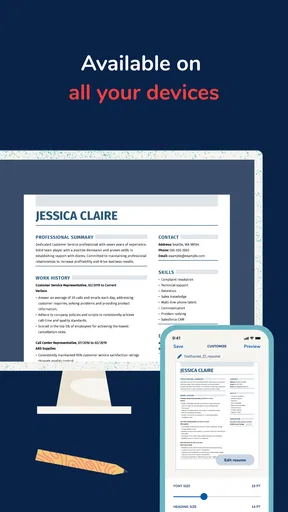
- Mobile app syncs seamlessly with desktop.
Cons
- Limited free features available.
- Some templates feel outdated.
- Occasional app performance lags.
- Subscription required for full access.
- Ads can be intrusive in free version.
FAQs for MyPerfectResume Builder
What features does MyPerfectResume Builder offer?
MyPerfectResume Builder provides a variety of features to help users craft professional resumes. It includes customizable templates, step-by-step guidance, pre-written content suggestions, and formatting tools. Users can also access cover letter templates and job search tips. The app supports exporting resumes in multiple formats, making it versatile for different application needs.
Is MyPerfectResume Builder free to use?
While MyPerfectResume Builder offers some basic features for free, advanced options and premium templates may require a subscription. Users can choose from various pricing plans to access additional features like personalized support and exclusive templates. It's advisable to check the app’s pricing page for the most current subscription details.
How user-friendly is MyPerfectResume Builder for beginners?
MyPerfectResume Builder is designed with beginners in mind, offering an intuitive interface and easy navigation. The app provides step-by-step guidance throughout the resume creation process, making it accessible for users with little to no prior experience in resume building. The pre-written content suggestions also help streamline the process.
Can I customize the templates in MyPerfectResume Builder?
Yes, MyPerfectResume Builder allows extensive customization of its templates. Users can adjust formatting, colors, fonts, and layout to suit their personal style or the specific job they are applying for. This flexibility ensures that each resume can be tailored to reflect individual preferences and professional needs.
Does MyPerfectResume Builder store my personal information securely?
MyPerfectResume Builder prioritizes user privacy and data security. The app employs encryption and secure servers to protect personal information. Users should review the app’s privacy policy to understand how their data is handled, including any options for data management or deletion to ensure their information is secure.


